Eloqua Blog · Advanced
Eloqua Blog: Developing An Eloqua Naming Convention Generator Tool
A practical walkthrough for designing an Eloqua naming convention, turning it into a repeatable workbook, and helping users generate the right asset name every time.
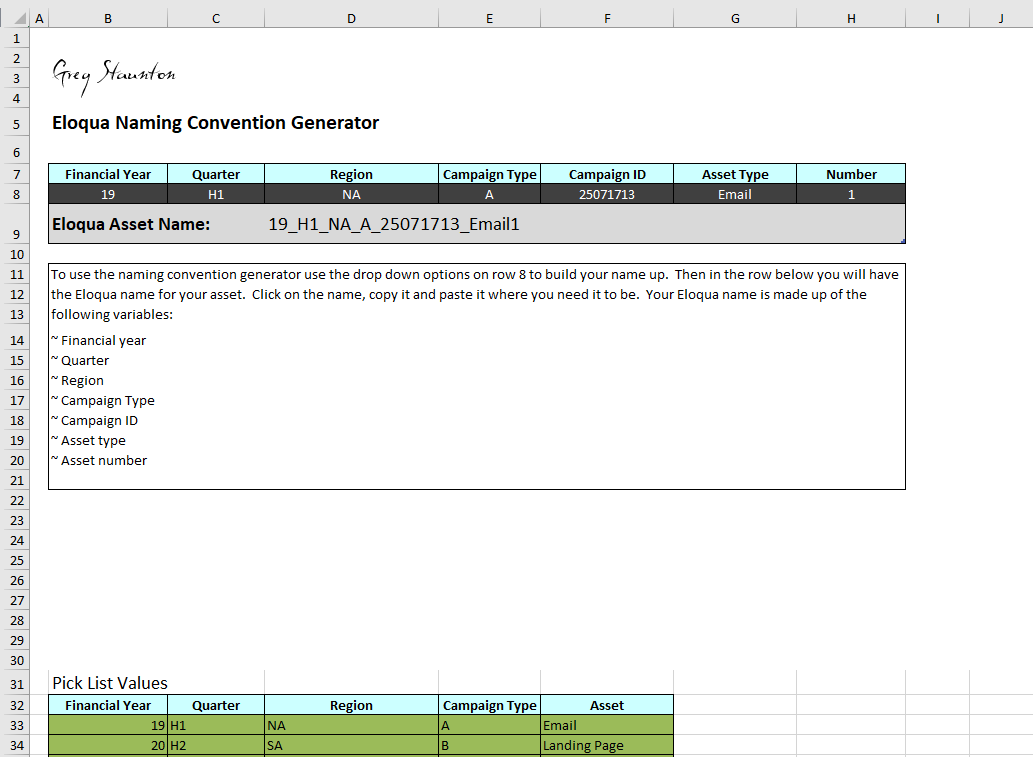
The Eloqua Naming Convention Generator
I had a reader ask for advice on how to develop an Eloqua naming convention and a tool they could use again and again to generate the right name for any Eloqua asset.
This article breaks that down into four parts.
What It Is
A methodology for naming assets in Eloqua.
Example
A sample convention using short, readable fields.
Design
How to choose headings and values that suit your business.
Test
How to use an Excel workbook to validate the naming convention.
What An Eloqua Naming Convention Is
An Eloqua naming convention is a methodology for naming the different assets you have within Eloqua. A solid convention helps you organise assets, search for assets and get more value from Eloqua reporting.
Once you have a good convention, it is worth going back through a used instance and renaming existing assets. There is no one-size-fits-all structure, so expect trial, error, compromise and agreement.
Top tip
Keep it short. Asset name columns have limited space, and nobody wants to drag the name column wider every time they search.
A convention should help users
- Understand what an asset is without opening it.
- Find related assets quickly.
- Report consistently across campaigns and regions.
- Use names that can be approved and followed by the whole team.
Naming Convention Example
Typical parts of an Eloqua naming convention include financial year, quarter, region, campaign type, campaign ID, asset type and number.
| Financial Year | Quarter | Region | Campaign Type | Campaign ID | Asset Type | Number |
|---|---|---|---|---|---|---|
| 17 | H1 | NA | A | {Enter} | EM | {Enter} |
| 18 | H2 | SA | B | LP | ||
| 19 | H3 | EU | C | FM | ||
| 20 | H4 | ME | D | SMS | ||
| 21 | AF | E | DM |
Campaign ID could be a name or number generated elsewhere. Number is the asset number: for example, EM1 means Email 1. The asset type list does not need to be limited to marketing assets. You can include any Eloqua asset and give it a shortcode.
Webinar Campaign Example
Imagine a webinar campaign where the campaign type shortcode is B and the campaign ID is 25071713. A webinar needs several assets, and each can follow the same structure.
| Marketing Asset | Eloqua Name |
|---|---|
| Eloqua landing page to house form | 19_H3_EU_B_25071713_LP1 |
| Eloqua form | 19_H3_EU_B_25071713_FR |
| Eloqua landing page for thank you page | 19_H3_EU_B_25071713_LP2 |
| Eloqua multistep campaign | 19_H3_EU_B_25071713_CM |
| Email invitation | 19_H3_EU_B_25071713_EM1 |
| Email non-responder | 19_H3_EU_B_25071713_EM2 |
| Email confirmation | 19_H3_EU_B_25071713_EM3 |
| Email reminder 1 | 19_H3_EU_B_25071713_EM4 |
| Email reminder 2 | 19_H3_EU_B_25071713_EM5 |
| Post-event email: thank you for coming | 19_H3_EU_B_25071713_EM6 |
| Post-event email: sorry you could not attend | 19_H3_EU_B_25071713_EM7 |
There are plenty of valid variants. Whatever works for your team and can be signed off is the right choice.
Design And Test The Convention
There is no single right way to design an Eloqua naming convention, but it can go wrong quickly if you add too much complexity. Start with the column headings you need, fill out the possible values, then test with real users.
A workbook makes that testing easier. It gives users a controlled way to try the convention, share feedback and move toward approval.
Workbook download
The original article included an email sign-up to request the naming convention workbook. This rebuilt page keeps the article flow and points readers to the contact form if they want help.
Workbook Setup
The workbook comes with a copyright notice and an Excel-based generator sheet. The generator has three main parts.
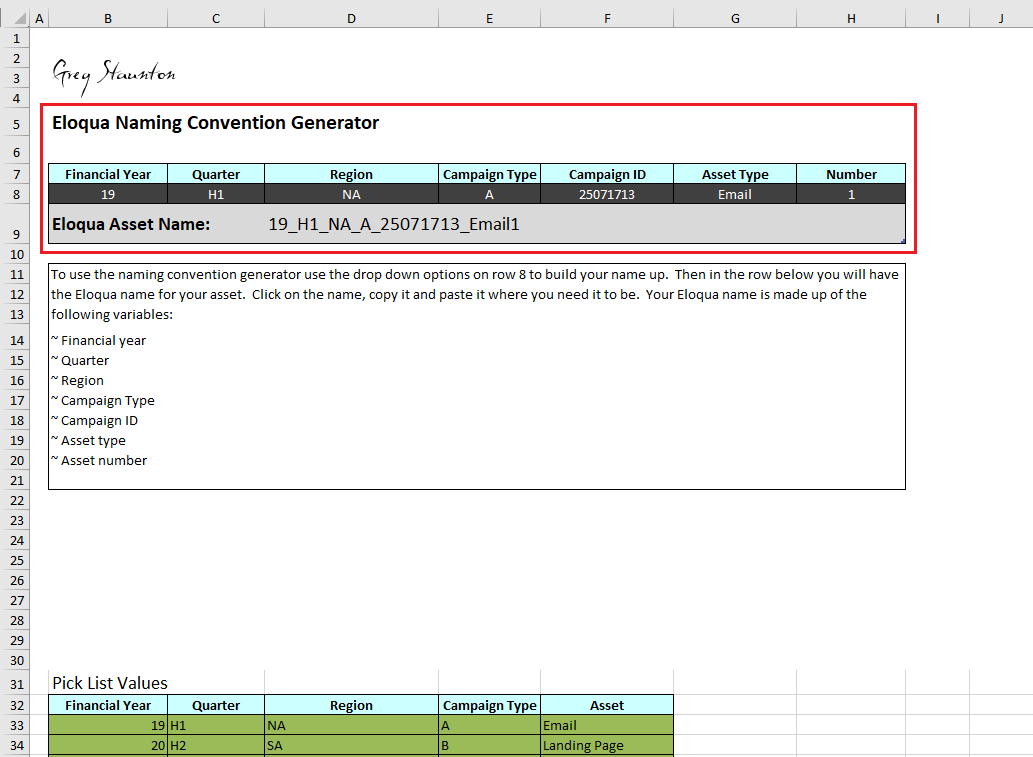
1. Name Generator
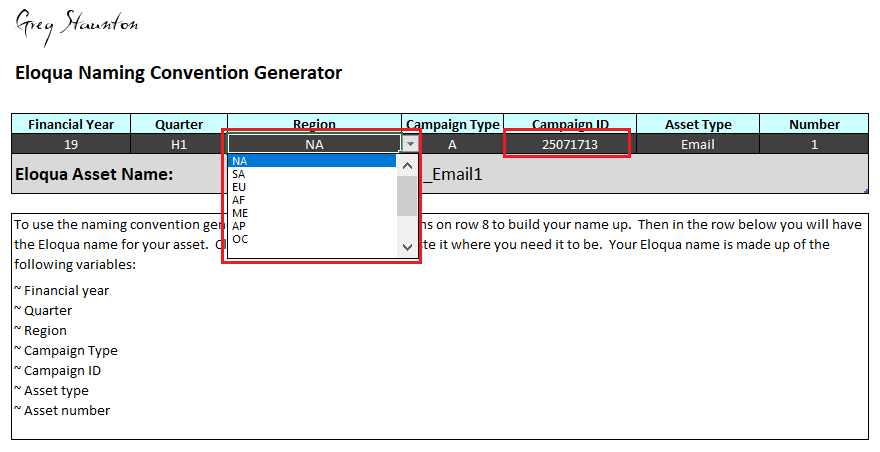
Change the headings in row 7 so the generator matches your convention.
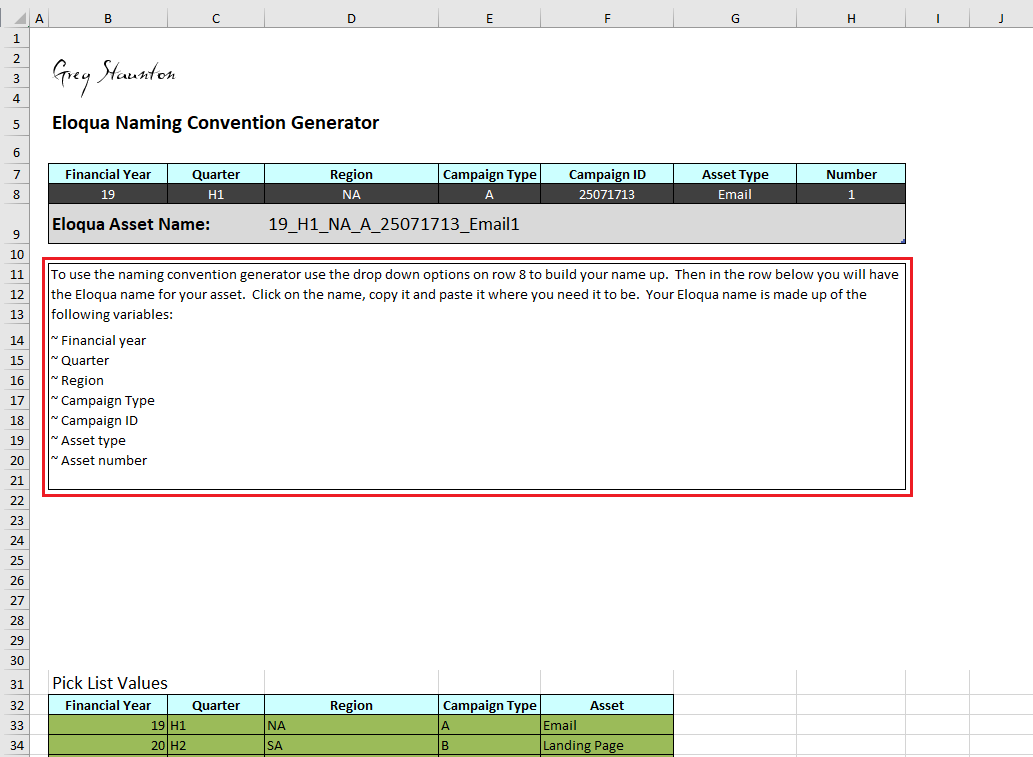
2. Instructions
Update the bullet-point instructions so users know exactly how to apply the convention.
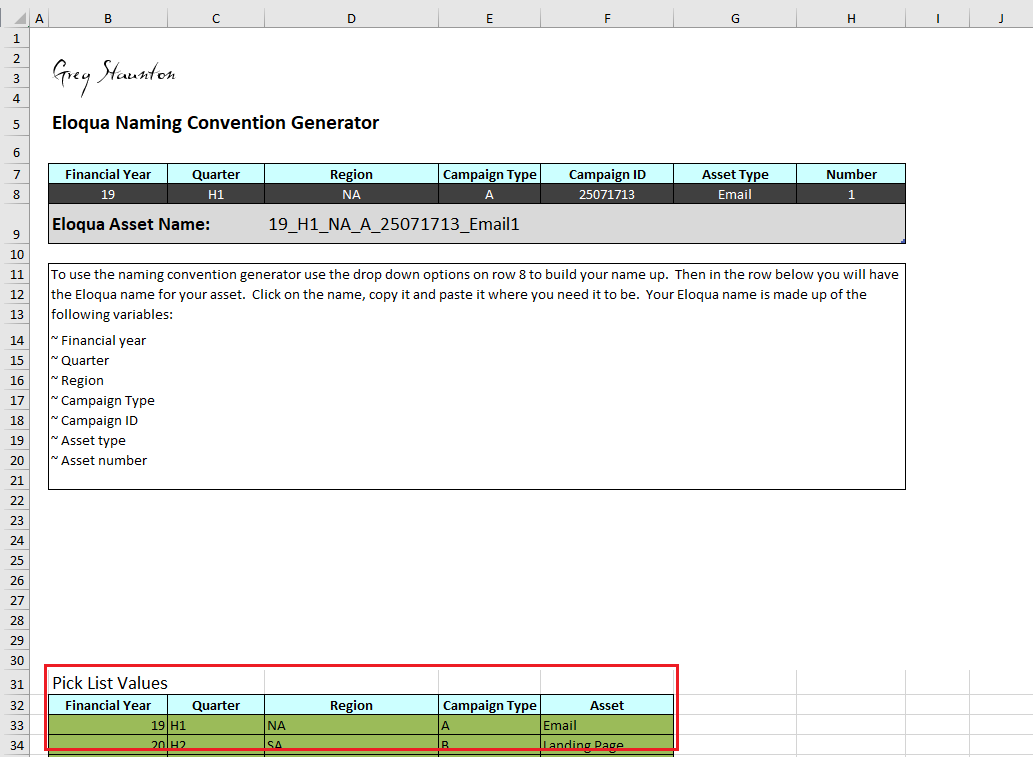
3. Drop-Down Values
Add the column headings and values you want displayed in the drop-downs on row 32.
Using The Tool
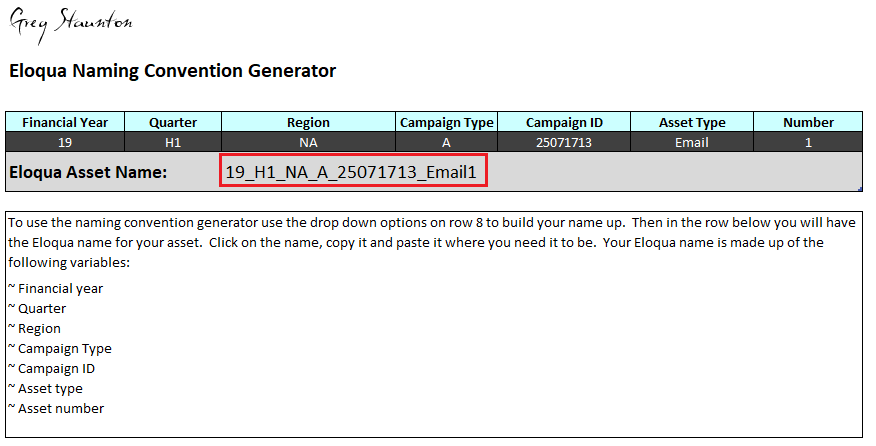
To use the Eloqua naming convention tool, select the values you want in the drop-downs and fill in the blank spaces.
The workbook then returns the generated Eloqua name for the selected asset. Once the convention is working, send it around, gather feedback and work toward sign-off.
After the naming convention is approved, you can also look at tools that help generate asset names directly inside the platform.
Related article
Relationship One Asset Name Generator
The next logical step after creating a naming convention is generating names directly in-platform.
Read articleRelated article
Eloqua Query String Append
Another practical Eloqua development article for keeping campaign data clean.
Read article