
There is hell and then there is another place below hell. That is where those pesky little spambots live during the day coming out at night to wreak havoc on your forms filling your lead que with promises of bitcoin riches, SEO expert claims and other such nonsense.
As usual the genius Oracle team once again prove that the Eloqua platform is the world’s best platform by releasing a seriously cool feature; Eloqua form spam protection.
So…. Get yourself a coffee, come back and let me teach you in the time it takes to drink your coffee how to combat them once and for all.
What is Eloqua form spam protection?
Eloqua’s form spam protection feature is a proactive and preventative solution that looks to address and minimize spam, as well as limit form submissions from unverified sources.
The purpose of this feature is to aid Eloqua users in combatting potentially malicious spam-bots or individuals.
How to use Eloqua form spam protection moving forward
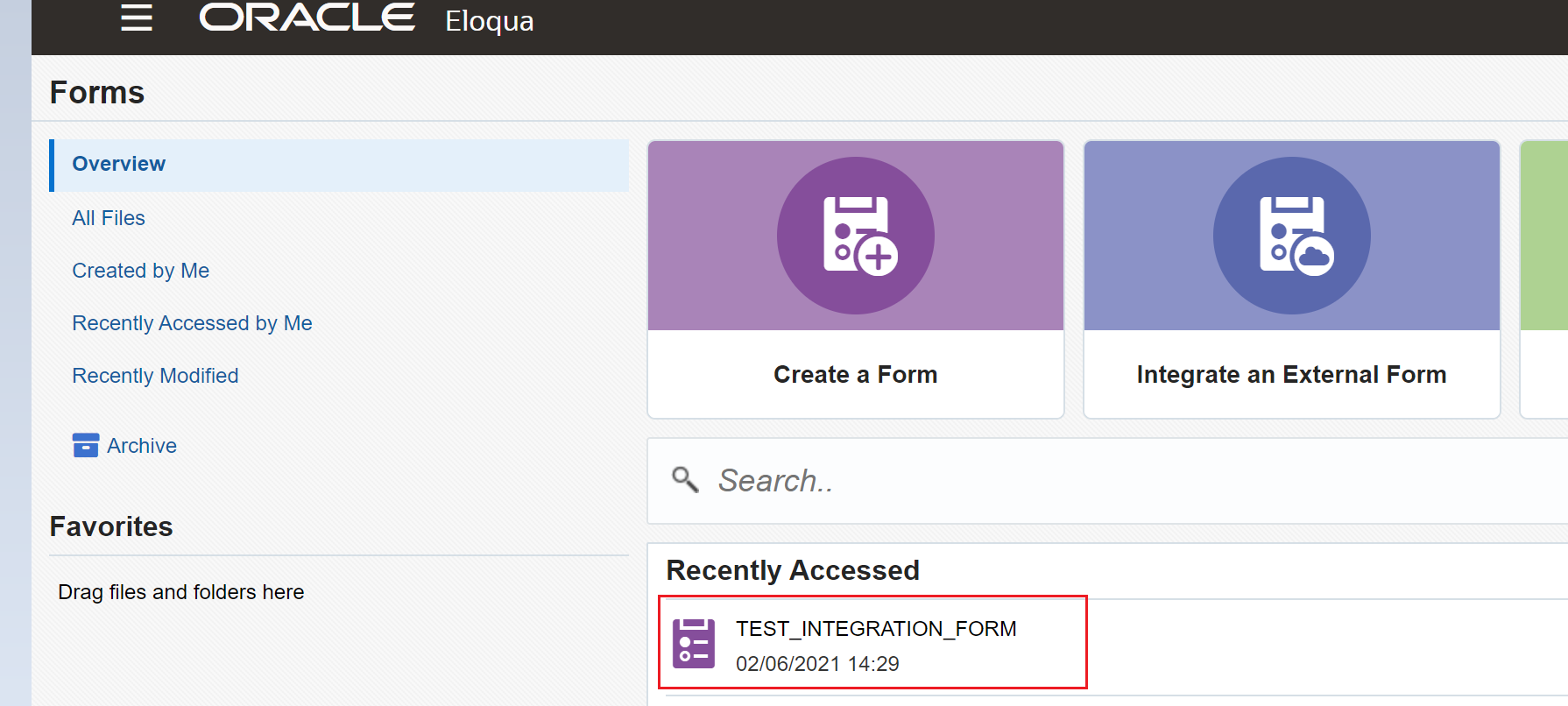
To enable Eloqua form spam protection in your form, first start by opening an existing Eloqua form in the Design Editor, or create a new one
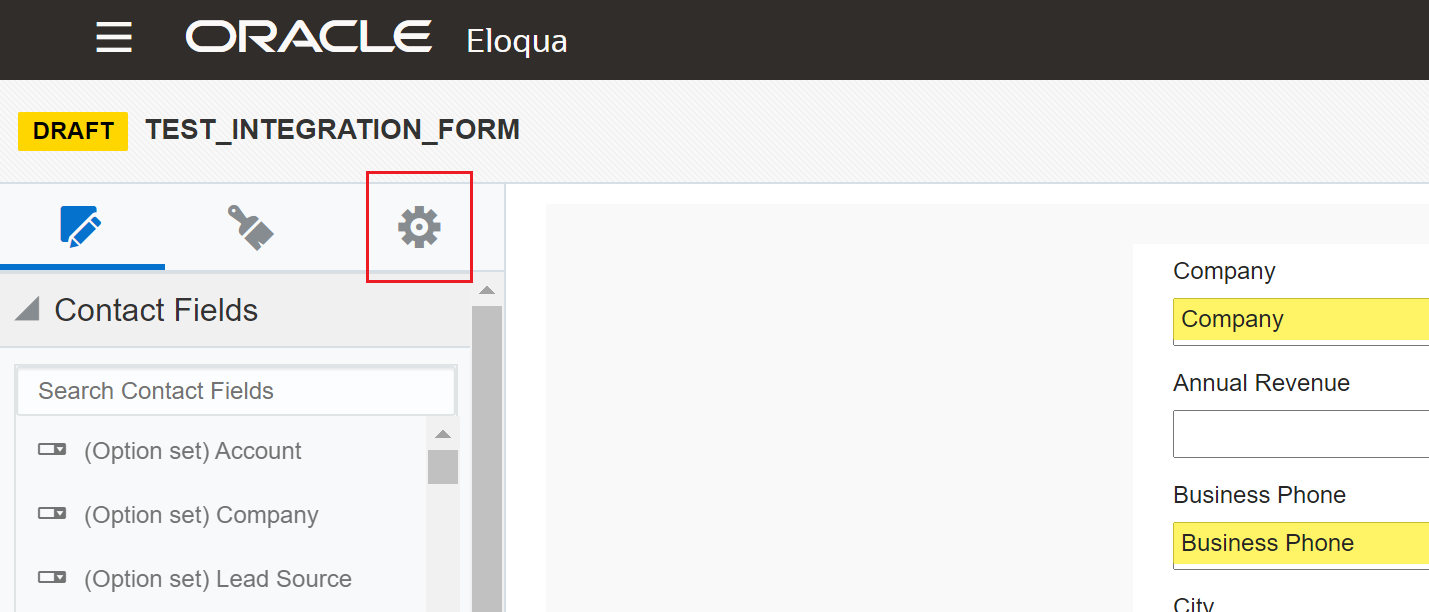
Select the gear icon to access additional settings
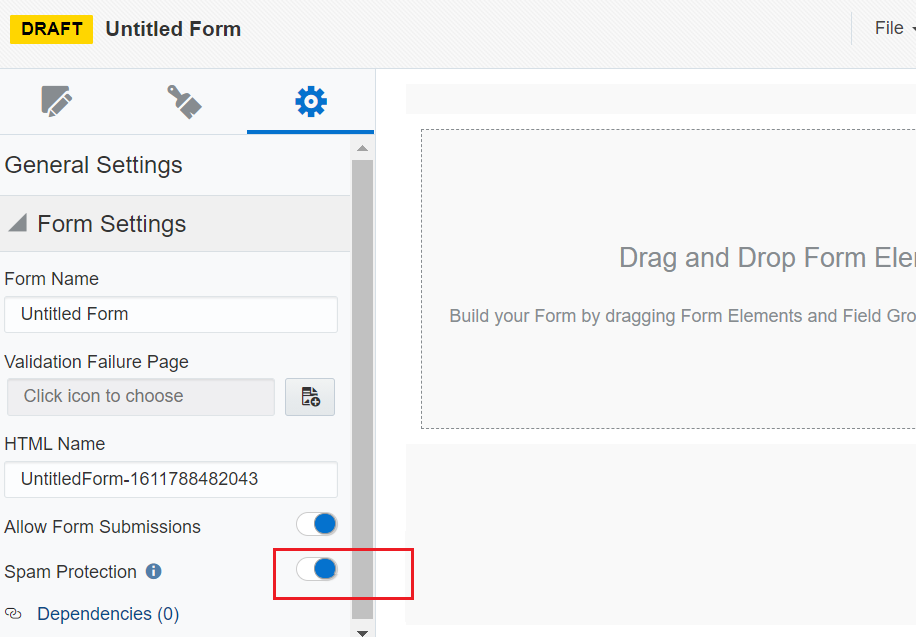
Enable the Eloqua spam protection option (as it is disabled by default, this is to reduce the risk of an Eloqua user enabling form Eloqua spam protection on an Eloqua form that has been integrated with an external webpage)
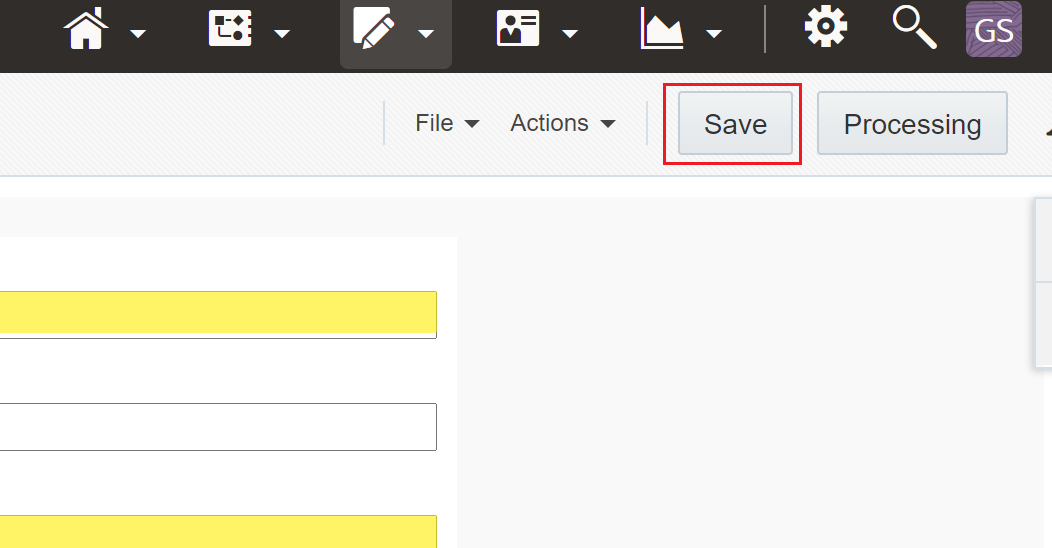
Remember to click save.
Tip from the top: Eloqua administrators are the ones that control which Eloqua users can use this Eloqua form spam protection. If you don’t see it and need it ping your Eloqua admin an email to get it enabled.
Fellow Eloqua ninja admins, to enable this feature for your users go to Settings -> Security -> Group Overview -> Actions Permissions. In the Forms section change Form Spam Protection Status.
Eloqua blind form submits
If you are enabling the Eloqua form spam protection feature for a blind form submit link that has already been created in an email, be sure to re-save existing emails otherwise all form submissions will be marked as spam.
The reason why this must be done is to update the blind form submit link to support the form spam protection feature.
External Eloqua forms
If the form Eloqua form spam protection feature has been enabled for an existing external form, you must replace the HTML for the existing form on the external webpage with the updated HTML otherwise all submissions will also be marked as spam just like with emails.
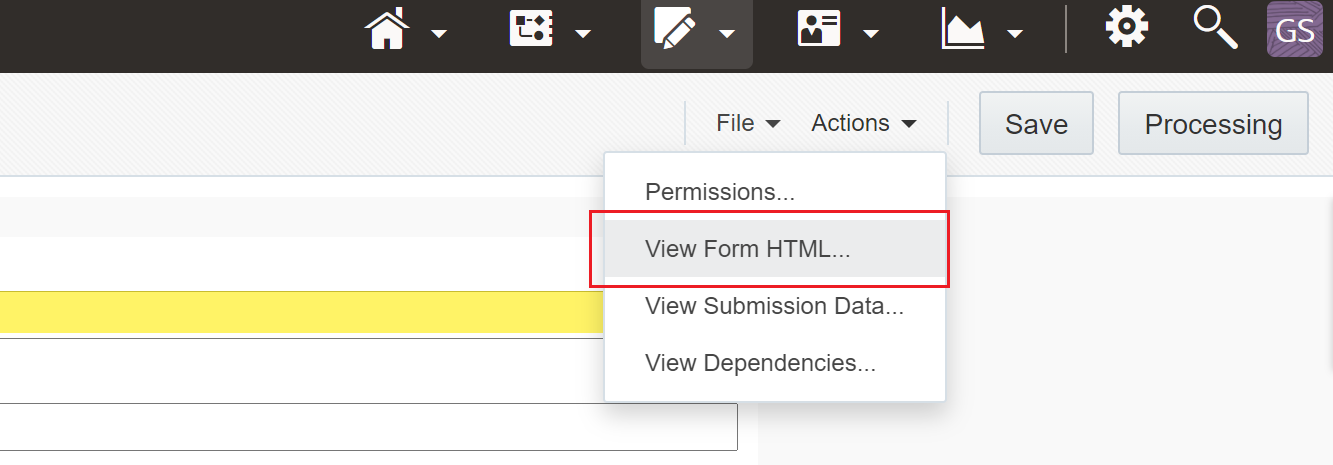
The Eloqua form spam protection feature has several functionality aspects that help in achieving its goals. The feature can be enabled on an individual per-form basis. In addition to this, as a catch-all, whenever users complete a form – their submission will always return a success message so as to not alert that the submission was marked as spam.
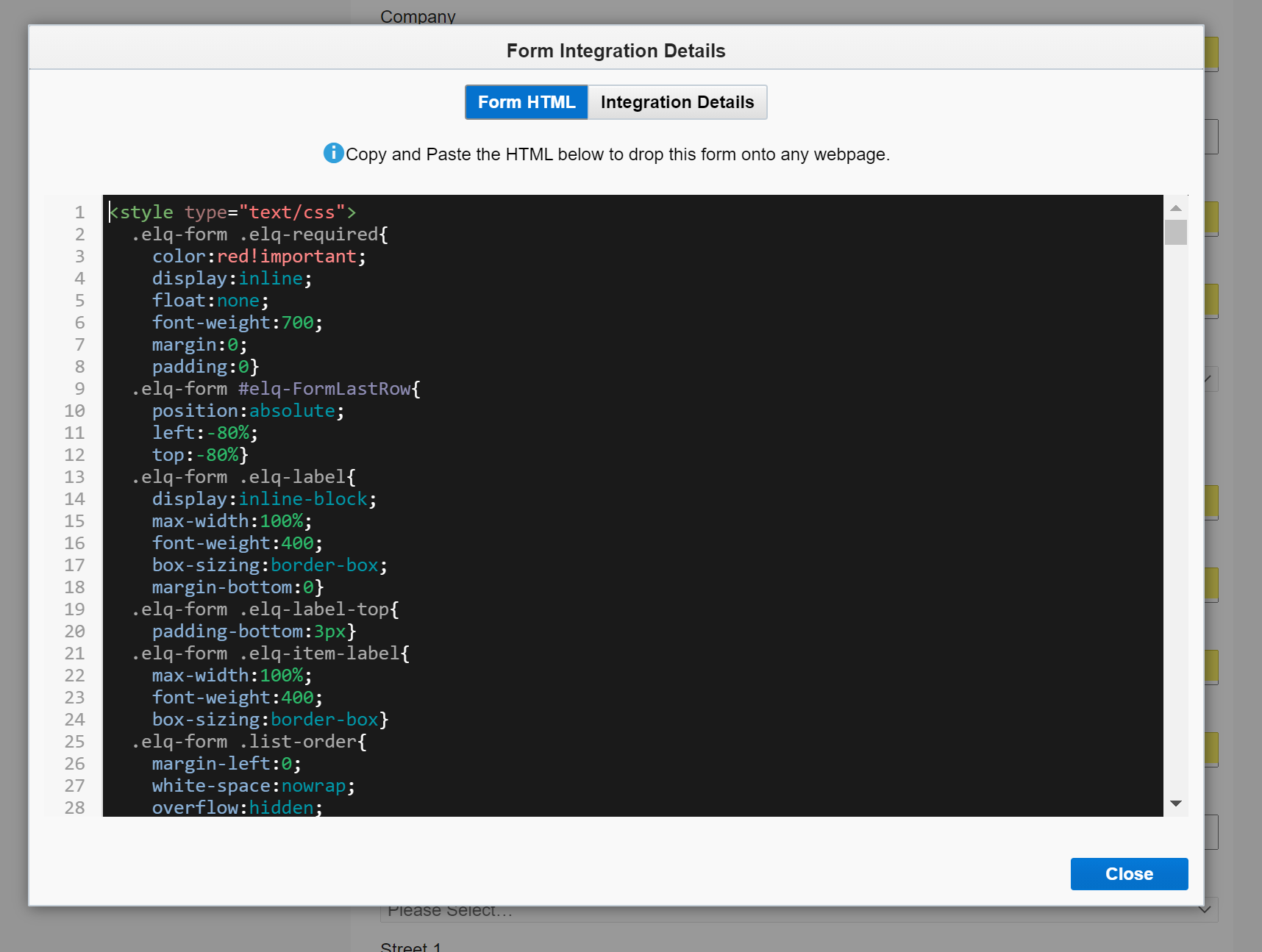
Spam submissions are also captured separately from valid form submissions and spam submissions will not create new contacts in Eloqua.
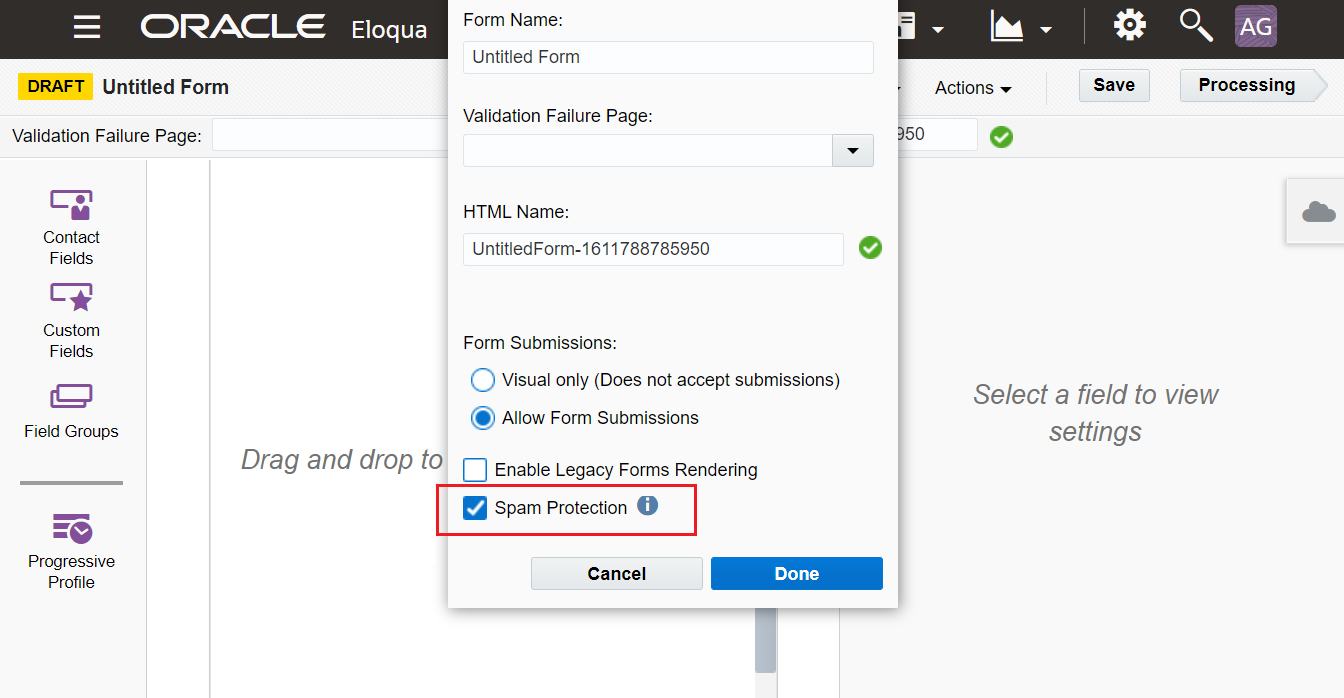
Tip from the top: Enabling Eloqua form spam protection is also easy to do for classic forms, i.e. forms built in the old Eloqua form editor.
To do this follow these steps:
- Click on the Actions drop down
- Click on the Spam Protection check box (Like with the responsive Eloqua form editor it is disabled by default)
- Then click Done and Save.
Also remember to update the existing HTML on your external form just like with responsive Eloqua form builder.
What are the Eloqua form spam protection functional details?
The Eloqua form spam protection feature has several functionality aspects that help in achieving its goals:
- The feature can be enabled on a per form basis
- End users are not alerted as to whether or not their Eloqua form submission was marked as spam
- Spam submission re captured separately and will not create new contacts in Eloqua
How does Eloqua form spam protection work?
Additional elements that help in the actual combatting of spam which we’ll be diving deeper into include:
- Timestamp validation
- A honeypot field
- Authenticity hashing
Timestamp validation
When the form is loaded, a timestamp validation token will be automatically generated by Eloqua.
- If the token decryption fails or falls outside of the designated threshold, the submission will be marked as spam
- This targets spambots that automatically paste inputs into our users’ forms and auto-submits said Eloqua forms.
A honeypot field
A hidden honeypot is also included in Eloqua spam protected forms, which is generated through an algorithm upon saving of the form.
- Honeypots are common security mechanisms that help in detecting spambots as users cannot visibly see the honeypot field on the actual form.
- his implies that if during submission, the honeypot field fails validation, the submission will be marked as spam.
Authenticity hash
When completing form submissions directly through a URL (i.e., blind form submissions via email), all Eloqua blind form submit links will contain an authenticity hash in the URL that will be validated at submission.
- If the validation of the authenticity hash fails, Eloqua will mark the submission will as spam.
- This implies that if a URL is changed when submitting a form, the submission will be marked as spam which helps in preventing false contacts from being created via blind form submit in the Eloqua instance.
Eloqua users also have the ability to enable and disable the form spam protection feature for specific groups of individuals through action permissions.
These action permissions can be accessed through Users -> Groups -> Action Permissions -> Edit -> Scrolling down to the Forms category where you will find the form spam protection feature.
Eloqua form spam protection roundup
Hopefully this answers all your questions and remember you saw it here first so don’t forget to subscribe and if you are needing any extra Eloqua development resource please don’t hesitate to contact me. If you are needing and full service campaign execution work please visit the Pl8ypus Eloqua agency website.