
What will you do if your lead Eloqua person leaves or you want to switch agency?
To date I have never some across a client that is implanting or re-implementing Eloqua that has a complete System Architecture Document. An Eloqua Architecture Document is a central repository of all background programs, Eloqua setup information and integration details with other platforms. It is best practice to create and maintain this document. If used correctly your Eloqua Architecture Document will:
- Speed up marketing automation adoption
- Reduce costs associated with updating / improving processes
- Destroy Eloqua backend knowledge silos
- Increase ramp up time of new marketing employees
When you create your Eloqua Architecture Document you need to store it in a central location.
How to use the Eloqua Architecture Document
The Eloqua Architecture Document that you have setup should start as a skeleton template to be used on each subsequent step of your Eloqua implementation and continued support.
It is very important that you save this document in a central location and enable all your Eloqua developer users / Eloqua agencies to have access to it. Prior to releasing the document when you have completed your initial implementation we recommend using the free version of dropbox (www.dropbox.com). This way you can implementation team work on this in collaboration before it is released to wider marketing audience.
The first section heading you will come to is the Change History.
Change History
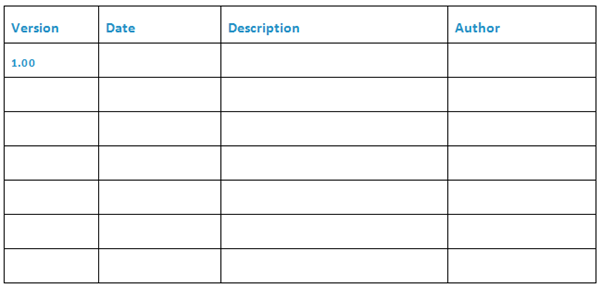
What is the Change History?
As the name suggests, the Change History in the Eloqua Architecture Document is for documenting changes that get made whilst you are implementing your instance of Eloqua. It allows you to ensure that you are using the most up to date version before anyone carries out any work. Once the document has been updated and a release has been made then the previous Eloqua Architecture Document gets overwritten by the new one.
* IMPORTANT: Make sure that you keep a version of each version of the document. If you ever need to do a rollback you will be thankful for keeping the previous version.
There are four headings for the Change History:
- Version
- Date
- Description
- Author
Version
The Version is the Version number of your Eloqua Architecture Document. I recommend that you use at least two decimal places for your version number. The main number, in this case 1 should be used for a major release, when you have carried out a number of fixes or updates. Typically this takes place in a release cycle so you may have four main releases each year. Every time you create an update or a new program, for example you have had a minor update on your Explicit Lead Scoring Model you would use the decimal place.
Why is important to maintain the Change History?
If you do not maintain a change history on your Eloqua Architecture Document then you will not know, at a glance, the state of your instance of Eloqua. At any one time you should be able to see a high level overview of how your system has been architected and be able to drill right down into each individual backend custom solution you have been created.
Eloqua Architecture Navigation
Over time as your implementation evolves you are going to find that your Eloqua Architecture Document starts to get very big. Each separate section will need to be given a chapter number, just like a text book and then a sub-chapter number.
This makes navigating your Eloqua Architecture Document much easier and will allow your Eloqua developers to easily describe which area they are or have been working on. You will have seen sub-sections referenced in in the change history log. From here you know precisely what has been added, updated, etc.
The Eloqua Architecture Document Navigation has the added functionality of being interactive. It allows you to click on a section or sub-section and you will jump straight to it. Again this saves time and frustration that navigating through each section to find what you are looking for would result in.