
Eloqua Blog · Progressive Profiling
Eloqua Blog: Progressive Profiling and Cookie Opt-out
What happens when contacts submit an Eloqua form but do not allow a tracking cookie to be dropped?
📅 First published: Aug 12, 2021
⏱ Reading time: 8 minutes • 👤 Author: Greg Staunton • 🎯 Focus: progressive profiling, cookies, Eloqua forms, web data lookup
As more and more privacy laws creep in around the world, you may face the dilemma of having to allow contacts to opt out of your Eloqua cookie being dropped so you can track their website activity.
I was asked an interesting question the other day: what happens with progressive profiling when you allow contacts to opt out of having a cookie dropped on form submission? I did not have a ready answer, so away I went to find out.
What Is Eloqua Progressive Profiling?
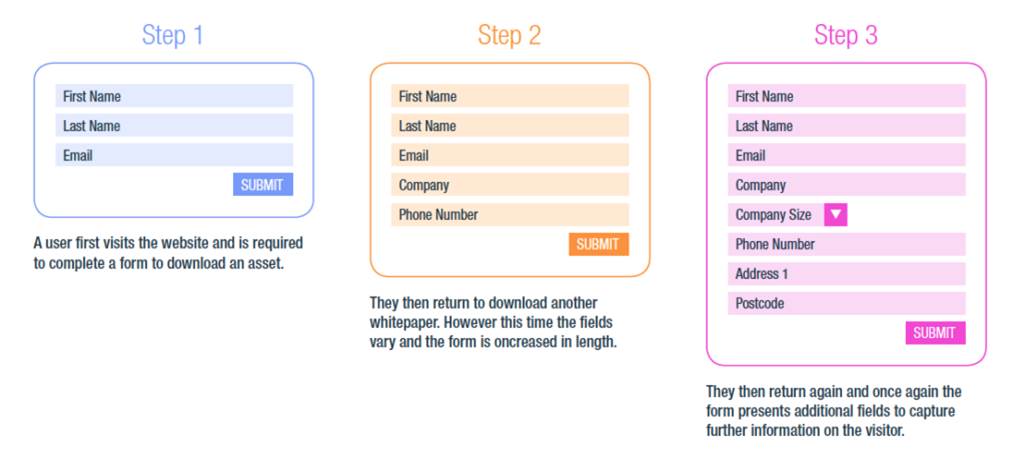
Eloqua progressive profiling is used to gather incremental data on a contact as they submit different forms.
- Shorter forms mean more conversions.
- More conversions mean more leads.
- You can progressively profile as many fields as you want over time.
Eloqua Progressive Profiling Options
You have three main options when it comes to Eloqua progressive profiling.
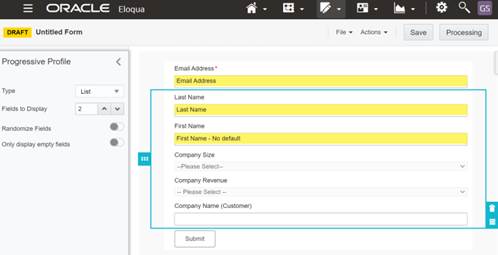
The Eloqua form module lets you build progressive profiling straight into your Eloqua landing pages. You can keep always-on fields such as email address, first name and company, then add progressive fields and set how many display when a user reaches the page.
Technical skill: none. You pick the options and drag the form onto your landing page.
Customization: limited to the normal form styling and validation options, unless you layer custom styles on top.
Deployment time: quick, because it is mostly drag and drop.
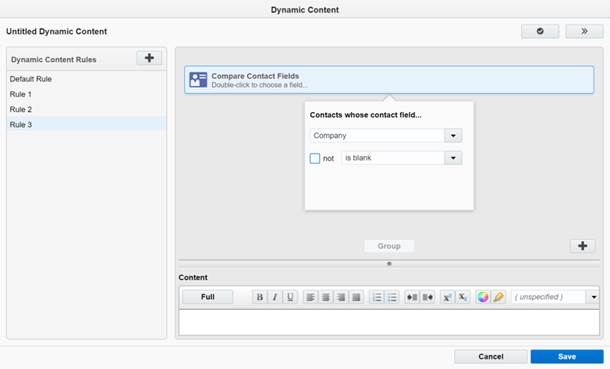
Dynamic content uses a stage method for displaying fields. You group fields into stages such as company details, job description details and later qualification questions. Rules then display the correct stage until Eloqua has data for those fields.
Technical skill: you need to know the dynamic content module and how to place form field names into the code.
Customization: high, because it is raw HTML and can be reused across forms when the field names stay consistent.
Deployment time: fast to deploy, but testing takes longer because every dynamic content block needs checking.
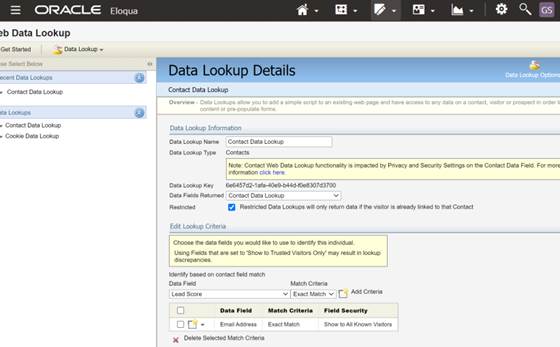
A web data lookup calls back to the Eloqua database when a known visitor hits a page. It can be used on your website as well as Eloqua landing pages, then another script can decide what to show.
Technical skill: fairly high. You will probably need a web developer as well as an experienced Eloqua user.
Customization: very high, because you can do almost anything with the returned data.
Deployment time: slow, especially if your web team needs to schedule the work.
Setting Up Eloqua Progressive Profiling
Step 1 - Go to the forms module in Eloqua.
Step 2 - Add your mandatory fields to the form canvas.
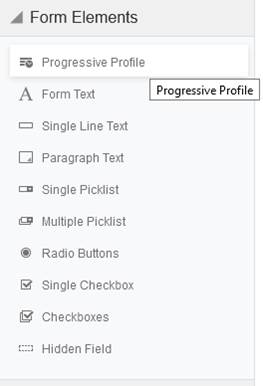
Step 3 - Click and drag Progressive Profile onto the form canvas.
Step 4 - Set your desired fields for progressive profiling onto the form canvas.
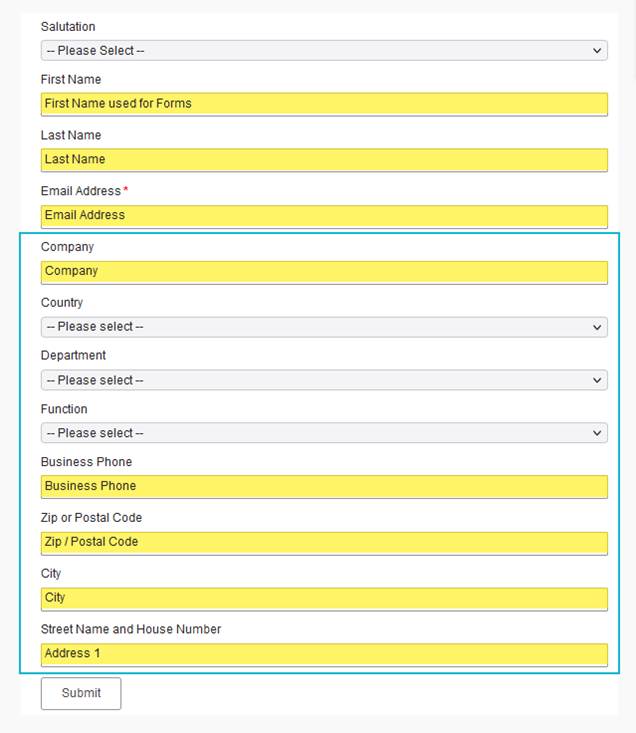
Option 1: List
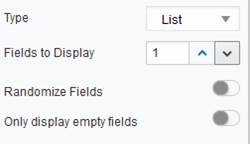
The list option displays the number of fields you have decided will show on the form.
- You choose how many fields, in addition to mandatory fields, display every time the form appears.
- By default, Eloqua shows the fields in the order they appear on the form.
- The system can randomize the order of the fields.
- Fields that are already filled in Eloqua will not be shown.
Once all fields are filled in, the customer only sees fields that are not part of progressive profiling.
Option 2: Stages
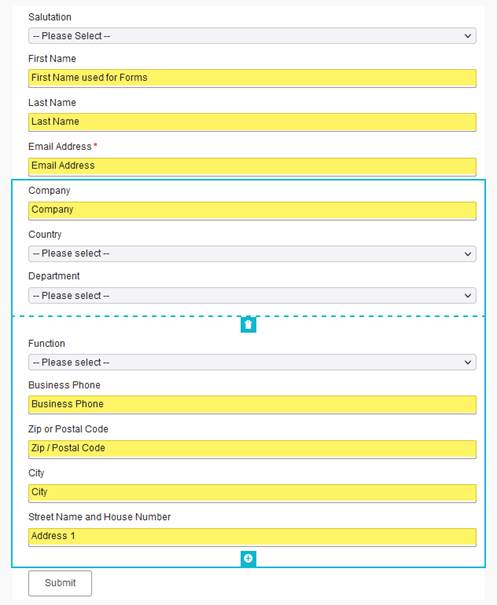
Stages group form fields together, provided data is held on each field in each set.
- You define which fields are shown with each stage.
- The customer only sees the fields in each stage if they are not filled in the system.
- Once all fields in the first stage are filled, Eloqua shows the empty fields from the next stage.
- Once all fields are filled in, the customer only sees fields outside progressive profiling.
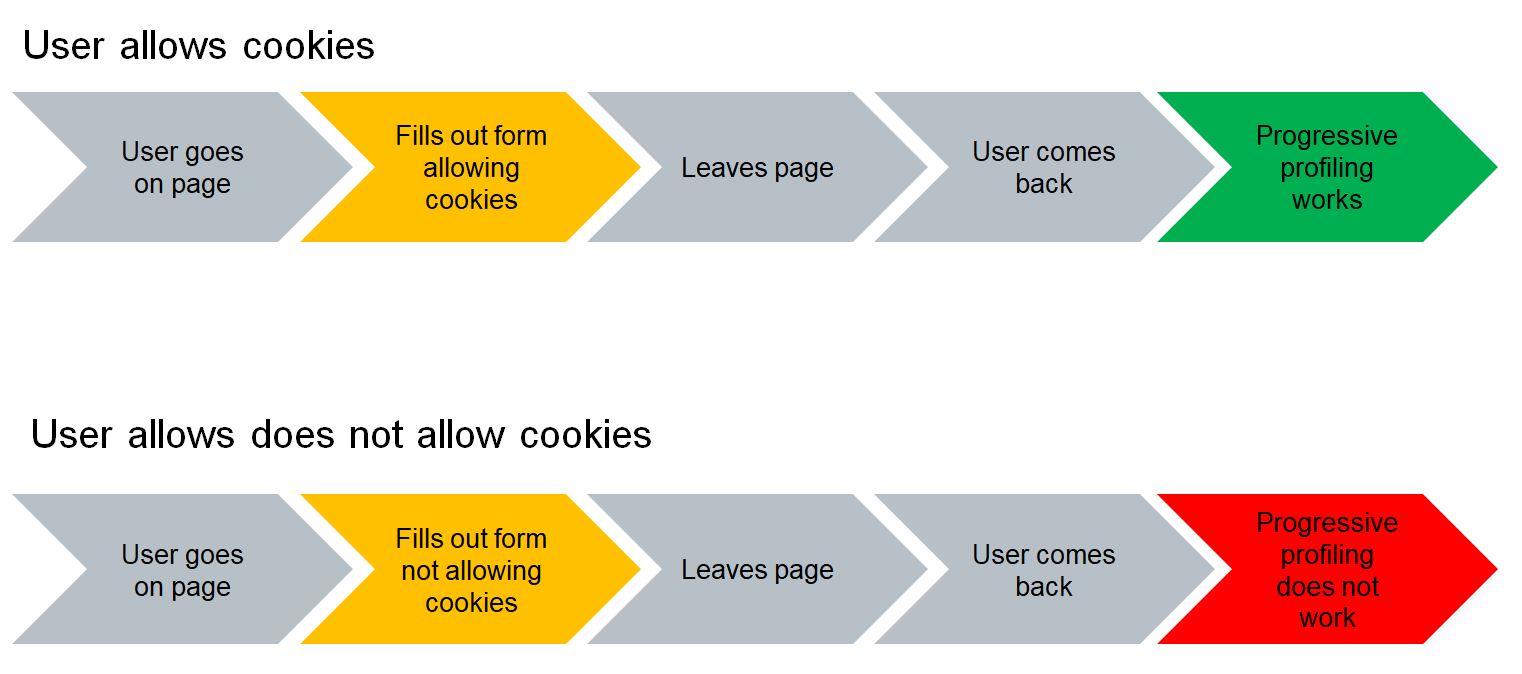
What About Cookies?
If a user has disabled cookies, email is the only medium that progressive profiling will work on, provided they are being sent to an Eloqua landing page.
That means these routes will only show your first set of questions:
- Banner ads
- Social posts
- Third-party email sends
- Website referrals
- Search ads
Options When Cookies Are Disabled
You randomize the fields on the form so that, over time, you eventually gather all the information you need.
Pros: it would work over time.
Cons: question repetition and illogical questions can create a poor user experience.
Tier your content and ask more personal questions on content that shows a higher propensity to purchase.
Pros: good user experience, because you get the data when the contact is ready to give it.
Cons: you may never get answers to everything if contacts only use certain tiers of content, and forms may be longer.
Ask enough details so a sales lead can be sent to sales, then add two progressive fields for ongoing profile building.
Pros: you will get full data for contacts with cookies enabled.
Cons: you only get a full profile from contacts with cookies enabled. Lead scoring may rely on sales gathering information and your CRM sync, and forms can become large if you ask lead-scoring questions.
Related progressive profiling
Eloqua Progressive Profiling 1: What is it?
Start with the core concept of progressive profiling and how to structure your form questions.
Read articleRelated Eloqua article
Eloqua Progressive Profiling 3: Hiding standard fields when you have the data
A practical follow-on showing how to hide known standard fields after Eloqua prepopulation.
Read article